Client

BMD

UI/UX for BMD's mobile business processes

Structure, clarity, and usability for mobile business processes

BMD Go brings firm and business processes to the smartphone, making many BMD NTCS and BMD Com functions accessible on mobile. What is highly complex in the background is reduced to the essentials in the app: capturing documents, booking time, submitting receipts – anytime and from anywhere. Our task was to translate this multitude of functions into a consistent, comprehensible user experience. The result is a clearly structured user flow that provides orientation, simplifies workflows, and makes the full integration into the BMD system world visible.

An app that doesn't just work – it feels right.

Over 300 screens for one of the most widely used business apps in the DACH region — consistently designed for intuitive use.


A well-thought-out design system as the foundation for consistency and scalability

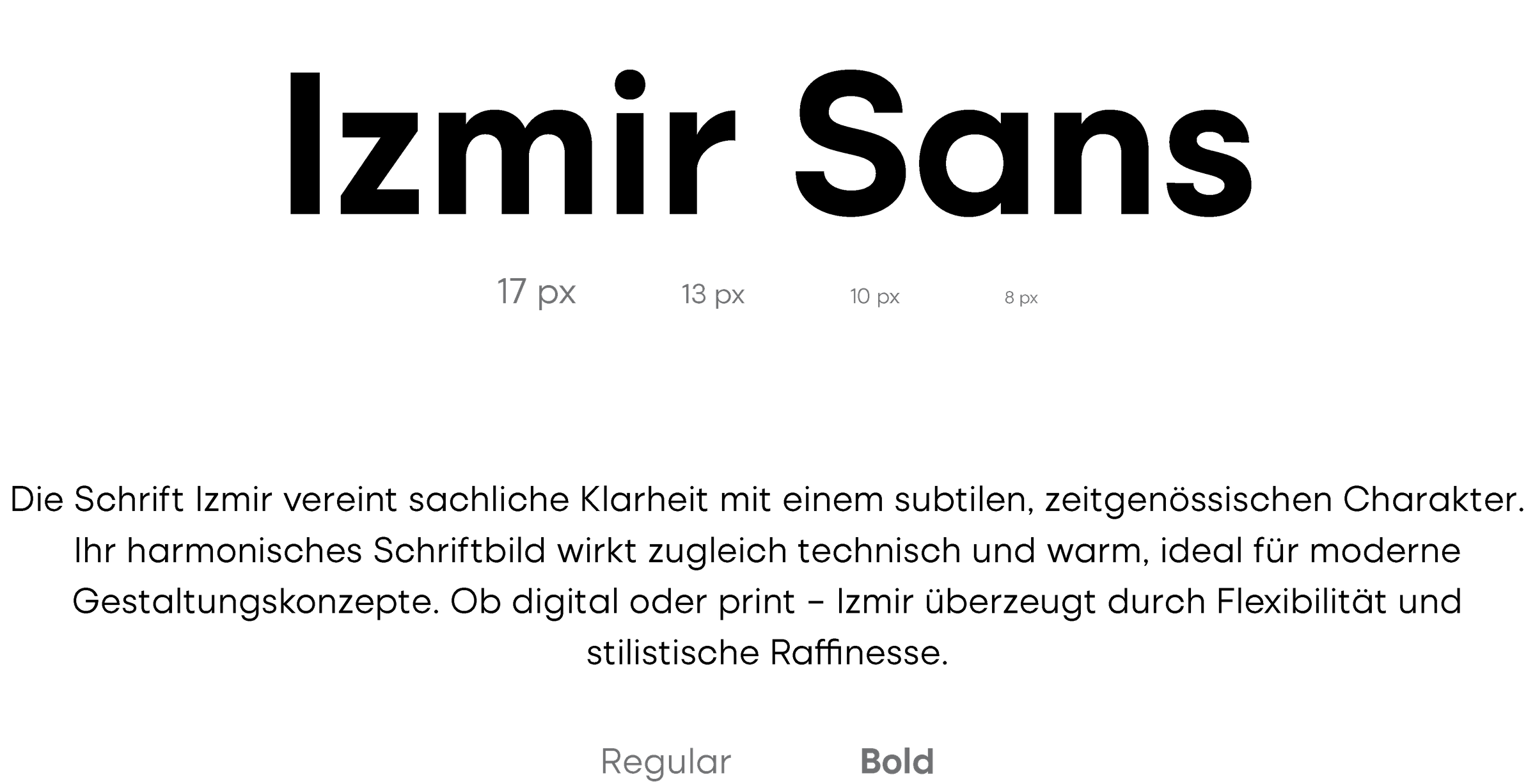
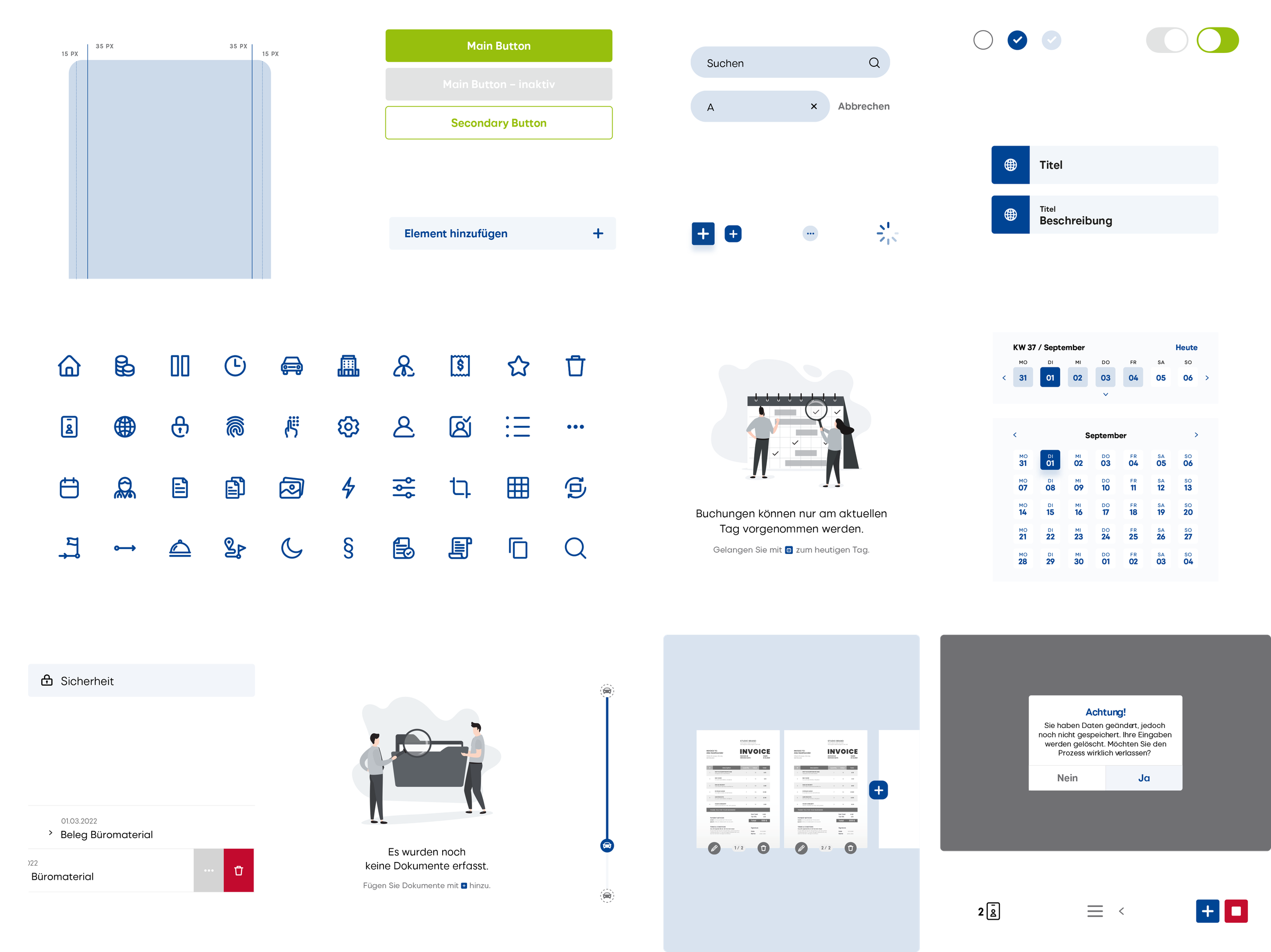
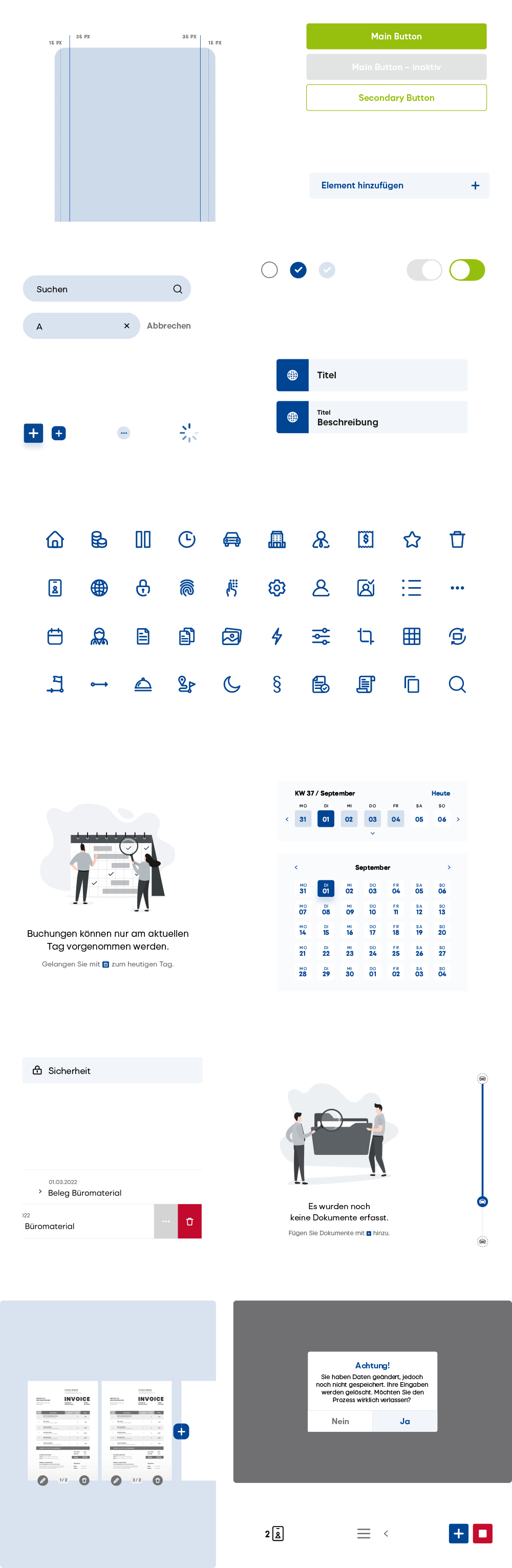
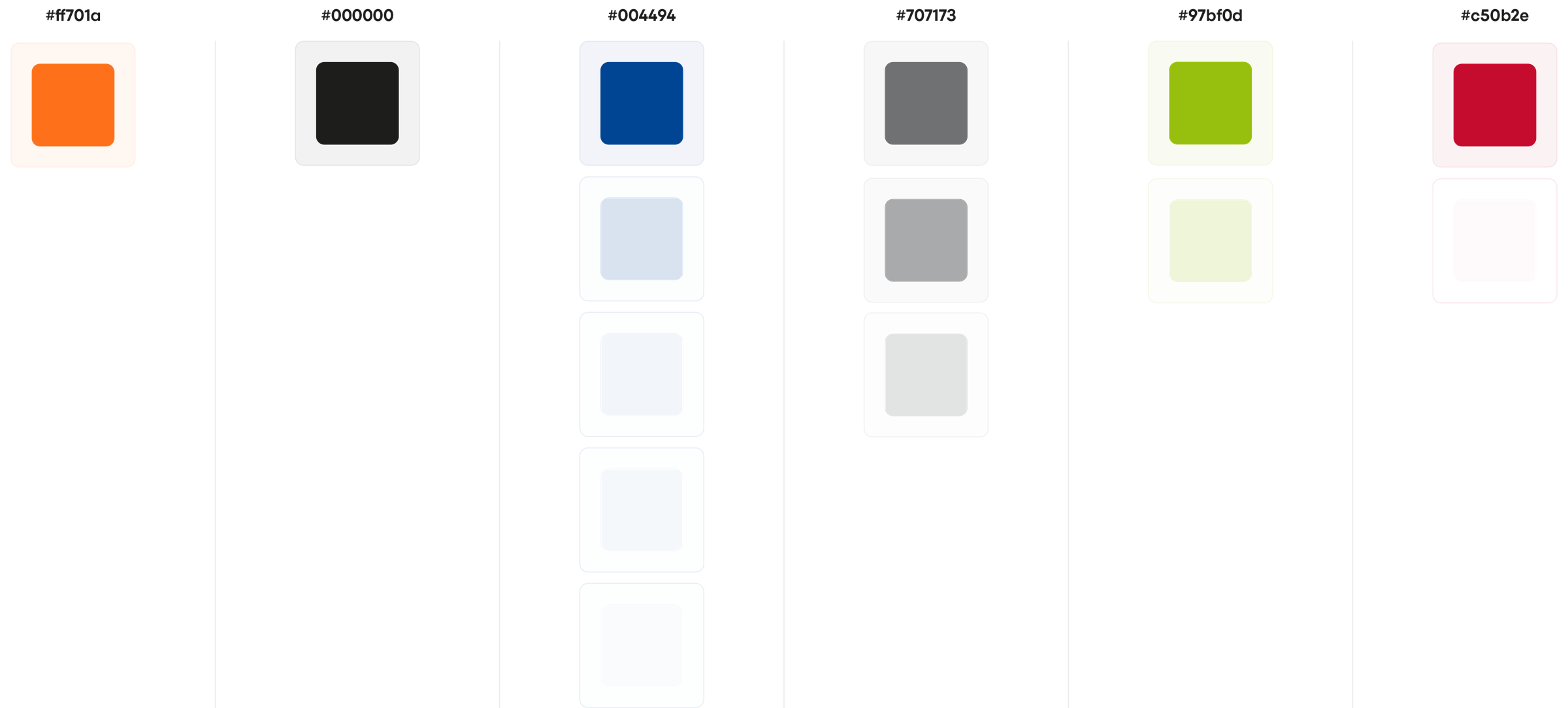
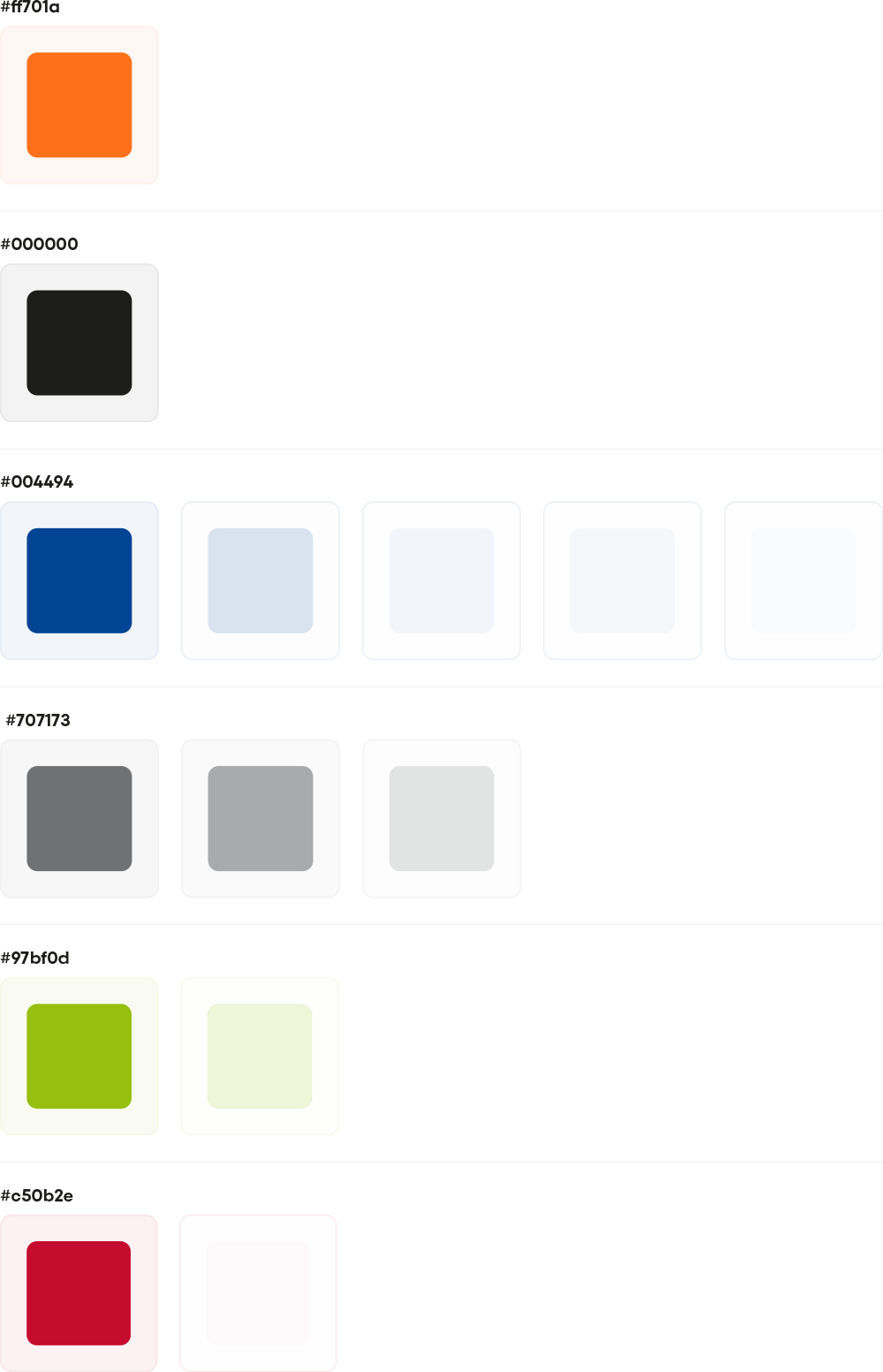
So that users can move through the app intuitively, we developed a holistic design system. It defines not only colors, typography, and UI elements, but establishes a clear design logic across all screens. Recurring components, unambiguous interaction patterns, and a reduced, functional design ensure that users find their way immediately – no matter how complex the underlying process is. At the same time, the design system forms the basis for efficient further development and ensures that new features can be integrated seamlessly at any time.

bmd color world moremedia advertising agency linz
bmd color world mobile moremedia advertising agency linz
bmd typography moremedia advertising agency linz
bmd typography mobile moremedia advertising agency linz
bmd elements moremedia advertising agency linz
bmd elements mobile moremedia advertising agency linz

Complex processes visualized

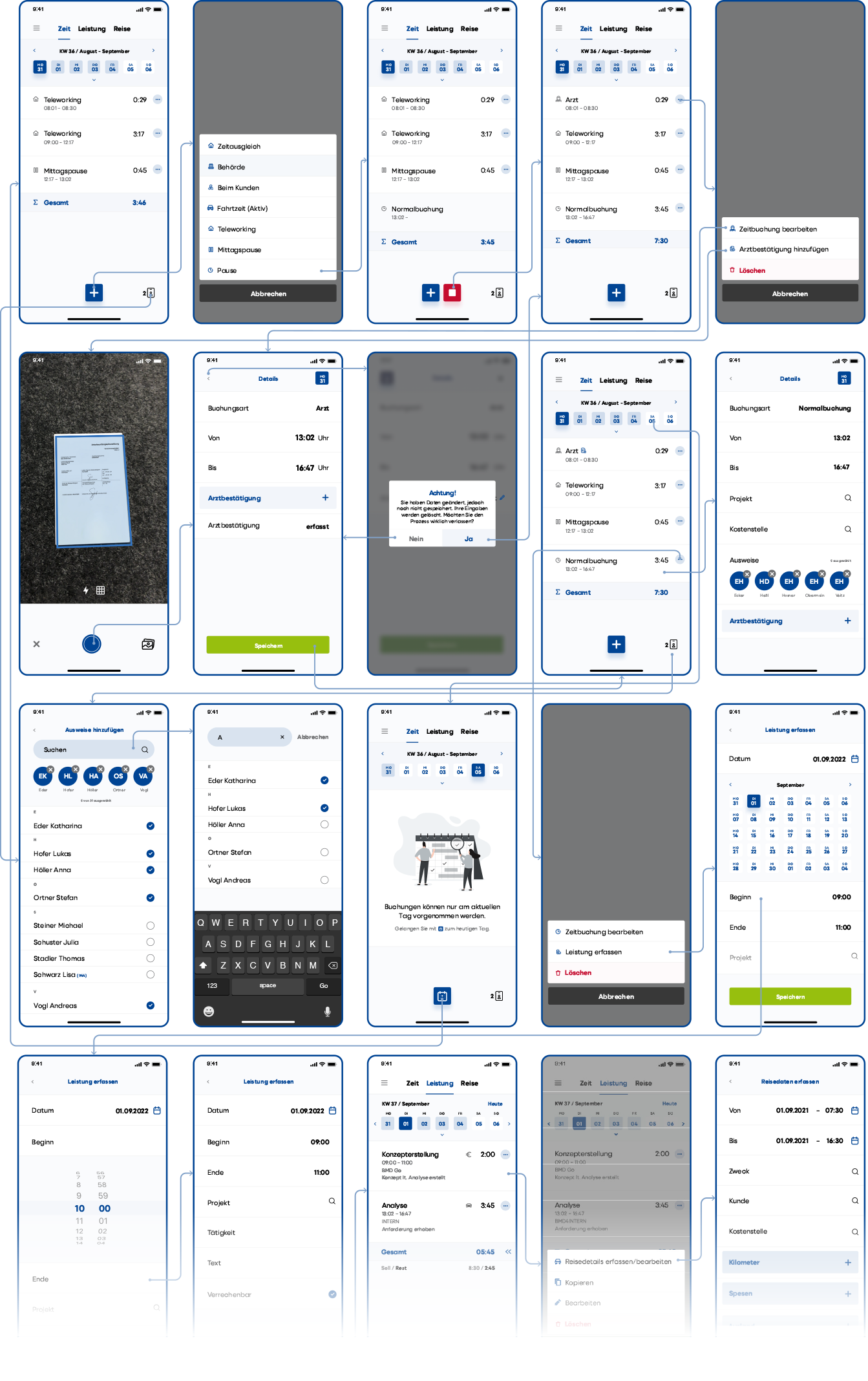
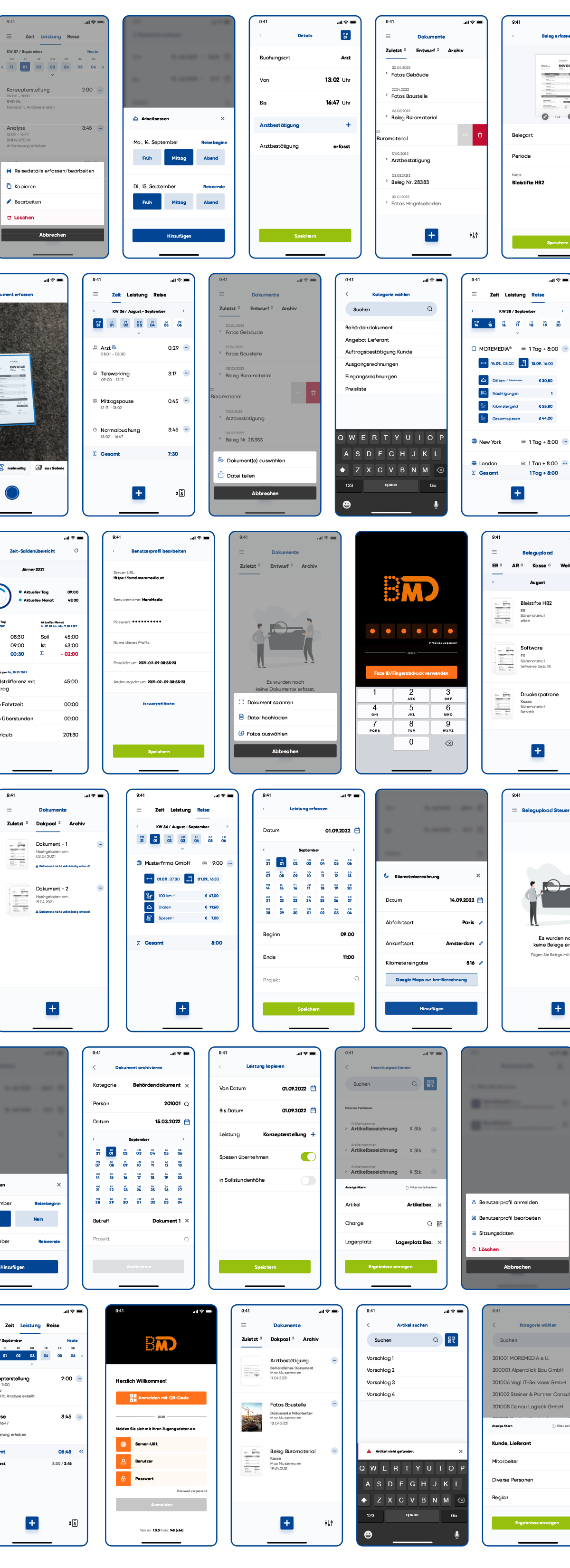
Developing a mobile all-in-one solution like BMD Go requires special care. Our wireflows make visible how many steps and dependencies must be taken into account: from digital receipt capture and to-the-minute time tracking to travel expense reporting including route calculation and foreign currency support. The visual representation shows how tightly the individual functions are interlinked – and how important it is to consider the entire user journey with every decision. Only when data flows, transitions, and interactions are cleanly aligned does a seamless, intuitive user experience emerge.

bmd user flow moremedia advertising agency linz

Over 300 screens for a clear user flow

To map the complete user flow, we designed over 300 individual screens. Each view represents a concrete process step — from payslip approval and employee self-service to digital archiving. The animated number makes visible how much conceptual and design work goes into a well-thought-out app. Only this depth creates a consistent overall picture that gives developers a clear foundation and enables users to work with an intuitive application.

0

Screens were provided for implementation

Insights into the developed app interface

The screens shown provide a direct look at the user interface we developed. They make visible how a wide range of functions – from digital receipt capture and mobile time tracking to approval processes – are brought together in a clearly structured and consistent UI. Despite the functional depth, operation remains simple and intuitive. That is precisely the strength: complex processes are designed to feel natural to users.

bmd app design 1 moremedia advertising agency linz
bmd app design 2 moremedia advertising agency linz
bmd app design 3 moremedia advertising agency linz
bmd app design mobile moremedia advertising agency linz

Questions and answers about this reference project

BMD is Austria's leading provider of business software. MOREMEDIA® developed the complete UI/UX design for the mobile app BMD Go – a complex all-in-one solution for firm and business processes on the smartphone. The technical implementation of the app was carried out by BMD's in-house development team.

What was the central challenge in the UI/UX design for BMD Go?

BMD Go brings highly complex firm and business processes to the smartphone – from digital receipt capture and time tracking to travel expense reporting with foreign currency support. The challenge was to translate this multitude of functions into a consistent, intuitively comprehensible user experience that feels simple and natural despite its depth.

What is a design system and why is it so important for an app like BMD Go?

A design system is the creative foundation of an app: it authoritatively defines colors, typography, UI elements, and interaction patterns across all screens. For BMD Go, we developed a holistic design system that not only ensures visual consistency but also forms the basis for efficient further development – new features can be integrated seamlessly without disrupting the overall picture.

What are wireflows and why were they used for BMD Go?

Wireflows combine the structural representation of individual screens with the flow of user guidance. For BMD Go, they made visible how many steps and dependencies need to be considered – from approving a document to time booking accurate to the minute. Only through this visualization can it be ensured that data flows, transitions, and interactions are cleanly coordinated.

How did MOREMEDIA® develop over 300 screens while maintaining consistency?

Developing over 300 individual screens was only possible through consistent work with the design system. Each screen represents a concrete process step and follows the same design rules. Recurring components, clear interaction patterns, and unambiguous visual hierarchies ensure a consistent, clearly organized overall experience despite the large number of views.

How does MOREMEDIA® ensure that a complex business app remains intuitive to use?

Intuitive usability doesn't happen by accident — it's the result of a structured UX process. We analyze user expectations, define clear user flows, test designs against real use cases, and question in every design decision whether the next step is obvious to the user. For BMD Go, that means: complex workflows are reduced to the essentials and designed so that they feel completely natural to users.
How we worked

From the first briefing to the result — structured and transparent in clearly defined steps.

01 — Analysis & Wireflows
Made the app's complex flows and dependencies visible with wireflows.

02 — Design System
Built a holistic system of colors, typography, and UI elements.

03 — UI/UX Design
Designed over 300 individual screens for a clear user flow.

04 — Consistency & Scaling
Ensured consistency and extensibility based on the design system.